

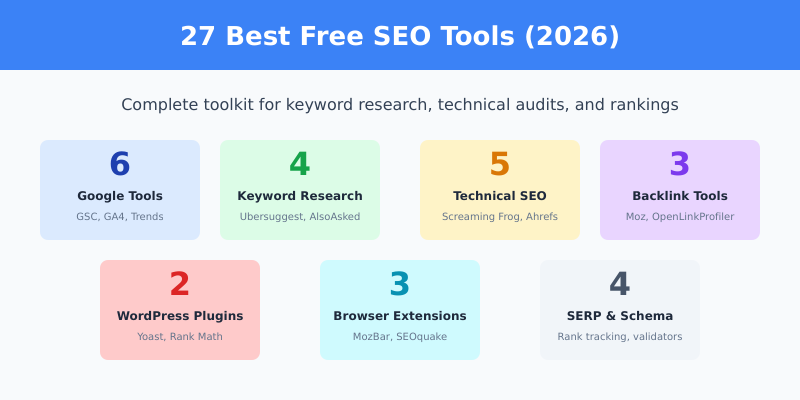
You don’t need to spend hundreds of dollars on SEO tools to improve your rankings. Some of the best SEO tools are completely free — and I use many of them daily.
After 10+ years in digital marketing, I’ve tested dozens of SEO tools. This guide covers the ones that actually deliver value without costing a penny. Whether you’re doing keyword research, technical audits, or backlink analysis, there’s a free tool for the job.
Let’s dive into the complete list.
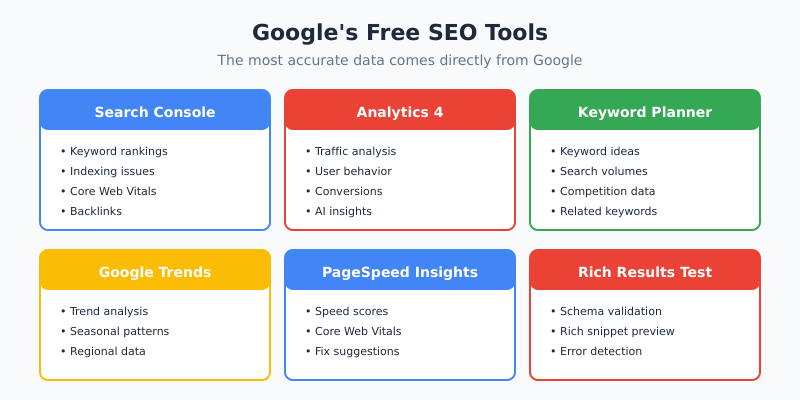
Google’s Free SEO Tools
Google offers the most powerful free SEO tools available. Since they run the search engine, their data is the most accurate you’ll find.
1. Free SEO Tools: Google Search Console
Best for: Monitoring search performance, indexing issues, Core Web Vitals
Free SEO Tools: Google Search Console (GSC) is the single most important free SEO tool. It shows you exactly how Google sees your website.
Key features:
- See which keywords bring traffic to your site
- Monitor click-through rates and average positions
- Find and fix indexing problems
- Submit sitemaps
- Check Core Web Vitals scores
- Identify mobile usability issues
- See who links to your site
No other tool gives you direct data from Google about your search performance. If you only use one SEO tool, make it this one.
2. Free SEO Tools: Google Analytics 4
Best for: Traffic analysis, user behavior, conversions
Free SEO Tools: Google Analytics 4 (GA4) tracks everything that happens on your website. While not strictly an “SEO tool,” it’s essential for measuring whether your SEO efforts drive results.
Key features:
- Track organic traffic trends
- See which pages perform best
- Monitor user engagement metrics
- Set up conversion tracking
- AI-powered predictive analytics
- Cross-platform tracking (web + app)
3. Google Keyword Planner
Best for: Keyword research, search volume data
Google Keyword Planner is part of Google Ads, but you can use it for free without running ads. It provides keyword ideas and search volume estimates directly from Google.
Key features:
- Discover new keyword ideas
- See monthly search volume ranges
- Check keyword competition levels
- Find related keywords
- Filter by location and language
Limitation: Shows volume ranges (like “1K-10K”) instead of exact numbers unless you’re running ads.
4. Google Trends
Best for: Trend analysis, seasonal keywords, topic research
Google Trends shows how search interest changes over time. It’s invaluable for identifying trending topics and seasonal patterns.
Key features:
- Compare keyword popularity over time
- Identify rising search trends
- See regional interest differences
- Find related queries and topics
- Discover seasonal patterns
5. PageSpeed Insights
Best for: Page speed testing, Core Web Vitals
PageSpeed Insights analyzes your page performance and provides specific recommendations for improvement.
Key features:
- Core Web Vitals scores (LCP, INP, CLS)
- Field data from real users
- Lab data for debugging
- Specific optimization suggestions
- Mobile and desktop scores
6. Rich Results Test
Best for: Structured data validation
Rich Results Test checks if your structured data (Schema markup) is valid and eligible for rich results in search.
Free Free SEO Tools for Keyword Research
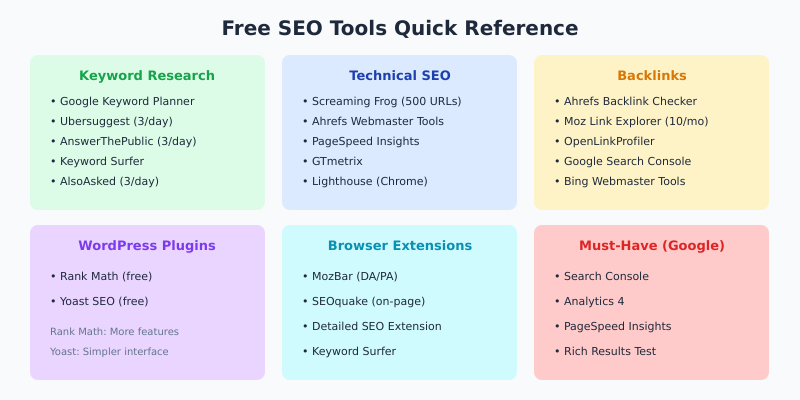
Beyond Google’s tools, several free options help you find keywords and content ideas.
7. Free SEO Tools: Ubersuggest (Free Version)
Best for: Keyword ideas, content suggestions, competitor analysis
Free SEO Tools: Ubersuggest by Neil Patel offers limited free searches per day. It provides keyword suggestions, search volume, difficulty scores, and content ideas.
Free limits: 3 searches per day
8. Free SEO Tools: AnswerThePublic
Best for: Question-based keywords, content ideas
Free SEO Tools: AnswerThePublic visualizes questions people ask about any topic. It’s excellent for finding long-tail keywords and FAQ content ideas.
Free limits: 3 searches per day
9. Keyword Surfer
Best for: Quick keyword data while browsing
Keyword Surfer is a free Chrome extension that shows search volume and related keywords directly in Google search results.
Key features:
- Search volume in the search bar
- Related keyword suggestions
- Word count of ranking pages
- Estimated traffic of competitors
10. AlsoAsked
Best for: “People Also Ask” research
AlsoAsked scrapes Google’s “People Also Ask” boxes to show related questions. Great for building comprehensive content that answers user intent.
Free limits: 3 searches per day
Free Free SEO Tools for Technical SEO
Technical SEO requires specialized tools. Here are the best free options.
11. Screaming Frog SEO Spider (Free Version)
Best for: Site crawling, technical audits
Screaming Frog is the industry-standard site crawler. The free version crawls up to 500 URLs — enough for most small to medium sites.
Key features:
- Find broken links (4xx errors)
- Audit redirects
- Analyze page titles and meta descriptions
- Find duplicate content
- Check robots.txt and canonicals
- Generate XML sitemaps
Free limits: 500 URLs, no JavaScript rendering
12. Ahrefs Webmaster Tools
Best for: Site audits, backlink monitoring
Ahrefs Webmaster Tools (AWT) is surprisingly generous for a free tool. You get access to Site Audit and Site Explorer for sites you own.
Key features:
- Comprehensive site audits
- Backlink profile analysis
- Organic keyword rankings
- Health score monitoring
- Technical issue detection
Limitation: Only for verified sites you own
13. Bing Webmaster Tools
Best for: Bing SEO, additional insights
Bing Webmaster Tools offers similar features to GSC plus unique tools like built-in keyword research and SEO reports with actionable guidance.
Don’t ignore Bing — it powers about 9% of searches and also feeds data to DuckDuckGo and other search engines.
14. GTmetrix
Best for: Page speed analysis, waterfall charts
GTmetrix provides detailed performance reports with waterfall charts showing exactly what slows down your pages.
Free limits: Tests from Vancouver server only, basic analysis
15. Chrome DevTools Lighthouse
Best for: Performance audits, accessibility, best practices
Built into Chrome (press F12 → Lighthouse tab), this tool audits performance, accessibility, best practices, and SEO. It’s the same engine that powers PageSpeed Insights.
Free Free SEO Tools for Backlink Analysis
Backlinks remain a crucial ranking factor. These tools help you analyze link profiles without paying.
16. Ahrefs Backlink Checker
Best for: Quick backlink overview
Ahrefs Backlink Checker shows the top 100 backlinks for any domain. Useful for quick competitor analysis.
17. Moz Link Explorer
Best for: Domain Authority, link metrics
Moz Link Explorer offers 10 free queries per month. It shows Domain Authority, linking domains, and top pages.
18. OpenLinkProfiler
Best for: Detailed backlink analysis (unlimited)
OpenLinkProfiler is completely free with no daily limits. It provides detailed backlink data including anchor text, link context, and freshness.
Free WordPress SEO Plugins
If you use WordPress, these plugins handle on-page SEO without additional tools.
19. Free SEO Tools: Yoast SEO Plugin
Best for: On-page optimization, readability
Free SEO Tools: Yoast SEO Plugin is the most popular WordPress SEO plugin with over 5 million active installations. The free version covers all essential on-page SEO needs.
Key features:
- Focus keyword optimization
- Readability analysis
- XML sitemap generation
- Meta title and description templates
- Breadcrumb navigation
- Schema markup (basic)
20. Rank Math
Best for: Advanced features in free version
Rank Math offers more features in its free version than most competitors’ paid versions. It’s become the go-to alternative to Yoast.
Key features (free):
- Multiple focus keywords (up to 5)
- Advanced Schema markup
- Free SEO Tools: Google Search Console integration
- 404 error monitoring
- Redirection manager
- Local SEO features
Free SEO Browser Extensions
These extensions add SEO functionality directly to your browser.
21. Free SEO Tools: MozBar Extension
Best for: Quick metrics while browsing
Free SEO Tools: MozBar Extension displays Domain Authority, Page Authority, and spam scores for any page you visit. Essential for quick competitive analysis.
22. SEOquake
Best for: Comprehensive on-page analysis
SEOquake by SEMrush provides detailed SEO metrics including keyword density, internal/external links, and social metrics.
23. Detailed SEO Extension
Best for: Technical on-page checks
Detailed SEO Extension shows headings, links, images, Schema, and more in a clean interface. Lightweight and fast.
Free SERP & Free SEO Tools for Rank Tracking
24. SERP Simulator
Best for: Previewing how your page appears in search
SERP Simulator shows exactly how your title and description will appear in Google search results. Helps you optimize for clicks.
25. Whatsmyserp
Best for: Free rank tracking
Whatsmyserp offers free daily rank tracking for up to 25 keywords. Simple but effective for monitoring your most important terms.
Bonus: Free Schema & Structured Data Tools
26. Schema Markup Generator
Best for: Creating structured data
Schema Markup Generator by TechnicalSEO.com helps you create JSON-LD Schema markup for articles, products, FAQs, and more without coding.
27. Schema.org Validator
Best for: Validating any Schema markup
Schema.org Validator tests your structured data against the official Schema.org specifications.
Free vs Paid: When to Upgrade
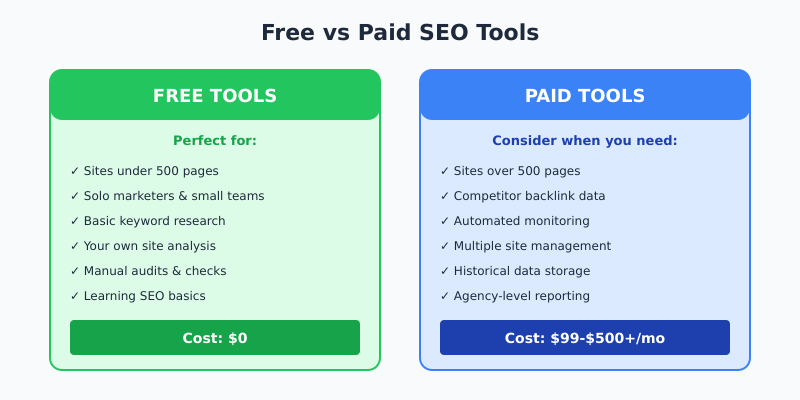
Free tools cover most SEO needs, but consider paid tools when:
- Your site exceeds 500 pages — Screaming Frog’s free version won’t crawl it all
- You need competitor backlink data — Free tools only show limited data
- You want automated monitoring — Free tools require manual checks
- You manage multiple sites — Paid tools scale better
- You need historical data — Most free tools don’t store history
For most small to medium websites and solo marketers, free tools are more than enough to compete effectively.
My Recommended Free SEO Stack
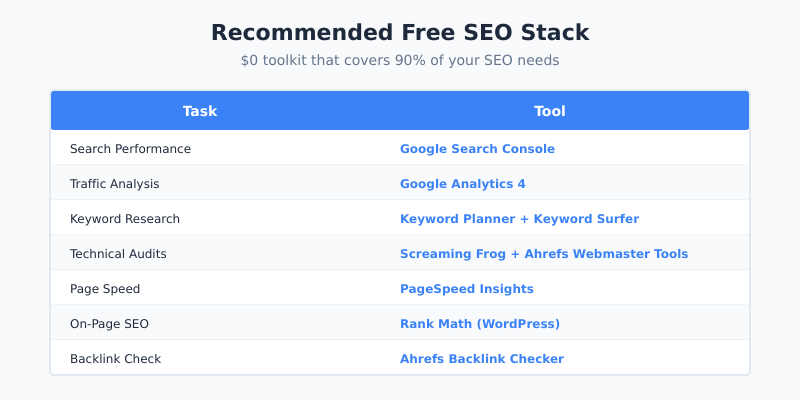
If you’re just starting out, here’s my recommended combination of free tools:
| Task | Tool |
|---|---|
| Search performance | Free SEO Tools: Google Search Console |
| Traffic analysis | Free SEO Tools: Google Analytics 4 |
| Keyword research | Google Keyword Planner + Keyword Surfer |
| Technical audits | Screaming Frog + Ahrefs Webmaster Tools |
| Page speed | PageSpeed Insights |
| On-page SEO | Rank Math (WordPress) |
| Backlink check | Ahrefs Backlink Checker |
This stack costs $0 and covers 90% of what you need to rank well in 2026.
FAQ
What is the best free SEO tool overall?
Free SEO Tools: Google Search Console. It provides the most accurate data about how Google sees your site, including keyword rankings, indexing issues, and Core Web Vitals. No other free (or paid) tool can match its accuracy for this data.
Are free SEO tools good enough for professionals?
Yes, for many tasks. I use free tools like Free SEO Tools: Google Search Console, Screaming Frog, and PageSpeed Insights daily in my professional work. Paid tools are mainly needed for competitive analysis, large-scale projects, or automation.
What’s the best free alternative to Ahrefs or SEMrush?
There’s no single free tool that matches their full functionality. However, combining Ahrefs Webmaster Tools (for your own sites), Free SEO Tools: Ubersuggest, and Free SEO Tools: Google Search Console provides similar core capabilities for free.
Which free keyword research tool is most accurate?
Google Keyword Planner provides the most accurate data since it comes directly from Google. The downside is that it shows volume ranges instead of exact numbers. For exact volumes, Keyword Surfer and Free SEO Tools: Ubersuggest are good free options, though less precise.
Is Free SEO Tools: Yoast SEO Plugin or Rank Math better?
Rank Math’s free version offers more features (multiple focus keywords, advanced Schema, redirect manager). Yoast is more established with a simpler interface. Both are excellent — I recommend Rank Math for power users and Yoast for beginners.
Final Thoughts
You don’t need expensive tools to do SEO well. The free tools in this list — especially Google’s own tools — provide everything you need to research keywords, audit your site, track rankings, and improve performance.
Start with Free SEO Tools: Google Search Console and Analytics. Add Screaming Frog for technical audits and Rank Math for WordPress optimization. As your needs grow, you can selectively add paid tools for specific gaps.
The best SEO tool is the one you actually use. Pick a few from this list and master them before adding more. Quality over quantity.
I use most of these tools in my daily work. This list reflects real-world testing and over a decade of SEO experience.
Further Reading
If you found this guide helpful, check out these related articles: