
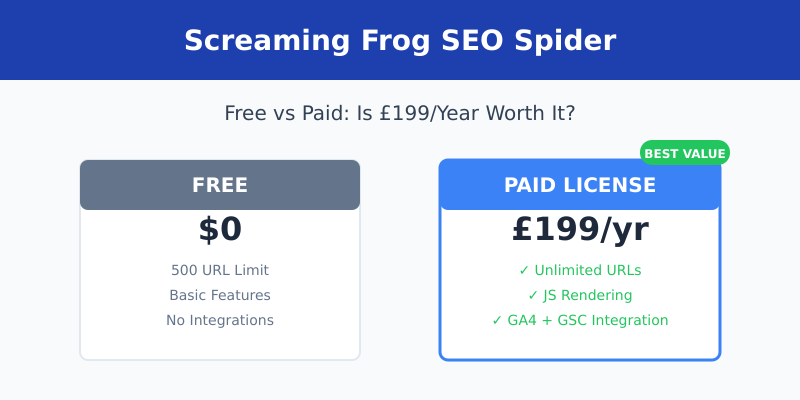
If you’ve spent any time doing technical SEO, you’ve probably heard of Screaming Frog SEO Spider. It’s the go-to desktop crawler for SEO professionals worldwide. But here’s the question I get asked all the time: is the paid version worth $259 per year when there’s a free version available?
I’ve been using Screaming Frog for over 7 years now. I’ve crawled thousands of websites with both the free and paid versions. In this article, I’ll break down exactly what you get with each option, the hidden limitations of the free version, and help you decide if upgrading makes sense for your situation.
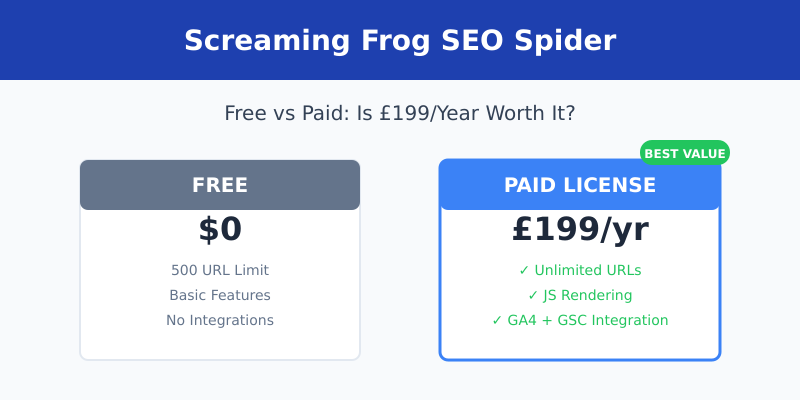
Screaming Frog Pricing Overview
Let’s start with the basics. Screaming Frog offers two pricing tiers:
| Version | Price | URL Limit | Best For |
|---|---|---|---|
| Free | $0 | 500 URLs | Small sites, quick audits |
| Paid License | £199/year (~$259) | Unlimited | Professional SEO work |
The paid license is billed annually. There’s no monthly option, which can be a barrier for freelancers just starting out. However, if you purchase 5 or more licenses, you get bulk discounts — useful for agencies.
What the Free Version Actually Includes
The free version of Screaming Frog is genuinely useful — not a crippled demo. Here’s what you can do without paying anything:
- Crawl up to 500 URLs per crawl
- Find broken links (4xx and 5xx errors)
- Analyze page titles and meta descriptions
- Find duplicate content issues
- Check redirect chains
- Review heading structure (H1, H2, etc.)
- Identify missing alt text on images
- Export basic reports
For a small blog or portfolio site under 500 pages, this is often enough. I still use the free version for quick sanity checks on smaller client sites.
What You Unlock with the Paid License
Here’s where things get interesting. The paid version doesn’t just remove the URL limit — it adds features that fundamentally change how you can use the tool.
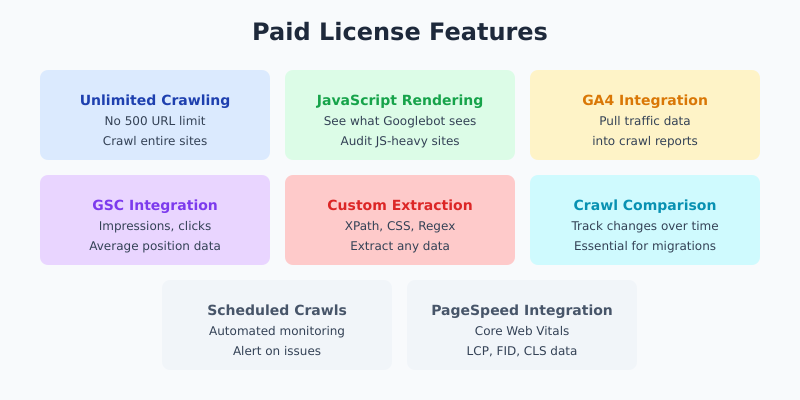
Unlimited Crawling
The 500 URL limit sounds reasonable until you realize how quickly you hit it. A typical e-commerce site with product pages, category pages, and blog posts can easily have 5,000-50,000+ URLs. Even a medium-sized business site often exceeds 500 pages when you count all the subpages.
JavaScript Rendering
This is the feature I use most. Modern websites rely heavily on JavaScript to load content. Without JS rendering, Screaming Frog only sees the raw HTML — missing dynamically loaded content, navigation menus, and sometimes entire page sections.
With the paid version, you can render JavaScript just like Googlebot does. This is essential for auditing React, Vue, Angular, or any JS-heavy site.
Google Analytics Integration
Connect your GA4 account directly to Screaming Frog. This lets you pull traffic data, bounce rates, and engagement metrics directly into your crawl. You can quickly identify pages that get traffic but have technical issues, or pages with zero traffic that might need attention.
Google Search Console Integration
Similarly, you can connect GSC to see impressions, clicks, and average position for each URL. This turns Screaming Frog from a technical crawler into a strategic SEO tool. I use this constantly to find pages ranking on page 2 that need optimization.
PageSpeed Insights Integration
Pull Core Web Vitals data (LCP, FID, CLS) directly into your crawl. No more checking pages one by one in PageSpeed Insights. You can audit an entire site’s performance in one go.
Custom Extraction
Extract any data from pages using XPath, CSS selectors, or regex. I use this to pull:
- Product prices from e-commerce sites
- Author names from blog posts
- Schema markup data
- Custom tracking codes
- Any element you need to audit at scale
Crawl Comparison
Save crawls and compare them over time. This is invaluable for site migrations. I’ve used this feature to verify that hundreds of redirects were implemented correctly and no pages were accidentally dropped.
Scheduled Crawls
Set up automated crawls that run on a schedule. Get alerts when issues appear. This turns Screaming Frog into a monitoring tool, not just an audit tool.
Free vs Paid: Complete Feature Comparison
| Feature | Free | Paid (£199/yr) |
|---|---|---|
| URL crawl limit | 500 | Unlimited |
| Broken link checking | ✓ | ✓ |
| Title/meta analysis | ✓ | ✓ |
| JavaScript rendering | ✗ | ✓ |
| Google Analytics integration | ✗ | ✓ |
| Search Console integration | ✗ | ✓ |
| PageSpeed integration | ✗ | ✓ |
| Custom extraction | ✗ | ✓ |
| Crawl comparison | ✗ | ✓ |
| Scheduled crawls | ✗ | ✓ |
| Save crawls | ✗ | ✓ |
| XML sitemap generation | ✗ | ✓ |
| AMP validation | ✗ | ✓ |
| Structured data validation | ✗ | ✓ |
Hidden Costs to Consider
The license fee is straightforward, but there are a few hidden costs:
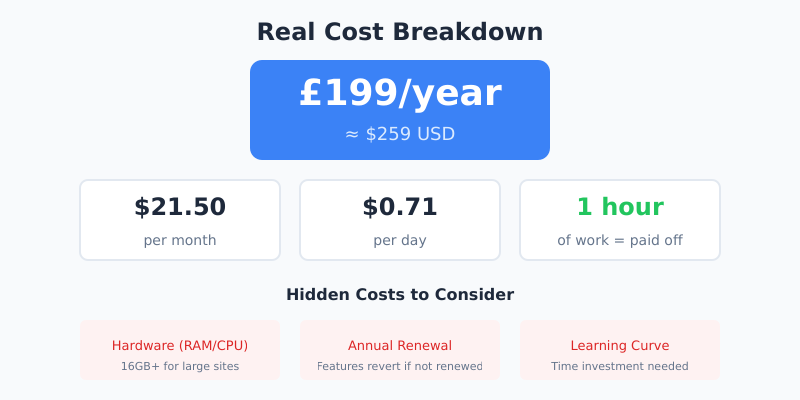
Hardware Requirements
Screaming Frog runs on your computer, using your RAM and CPU. Crawling large sites (50,000+ URLs) with JavaScript rendering requires serious hardware. I recommend:
- Minimum: 8GB RAM for sites under 10,000 URLs
- Recommended: 16GB+ RAM for larger sites
- JavaScript rendering: Even more RAM and a decent CPU
If your laptop struggles with large crawls, that’s an indirect cost of the tool.
Annual Renewal
The license is annual. If you don’t renew, you keep the software but lose access to updates and the paid features revert to free-version limits. You’re essentially renting the advanced features.
Learning Curve
Screaming Frog has a steep learning curve. It’s not a tool you’ll master in an afternoon. Budget time for learning, or you won’t get full value from your investment.
Is It Worth the Price? My Honest Assessment
Here’s my take after 7+ years of using Screaming Frog professionally:
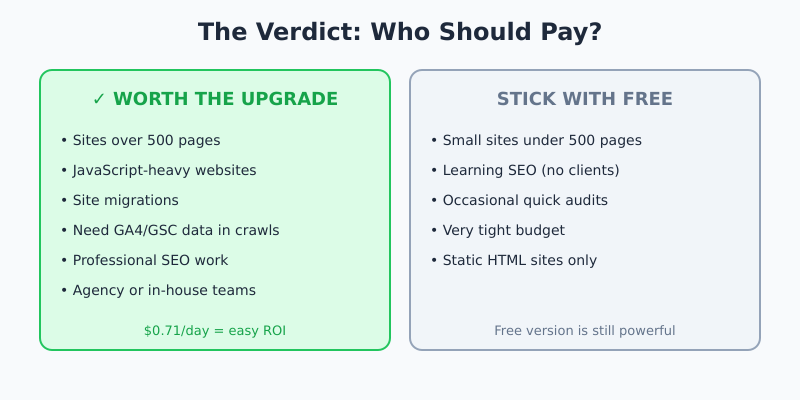
The paid version is absolutely worth it if:
- You work with sites over 500 pages (most business sites)
- You audit JavaScript-heavy websites
- You handle site migrations
- You want to combine crawl data with analytics/GSC data
- You do SEO professionally (in-house or agency)
At roughly $259/year, it works out to about $21.50 per month or $0.71 per day. If you bill even one hour of SEO work per month, the tool pays for itself many times over.
Stick with the free version if:
- You only manage small sites under 500 pages
- You’re learning SEO and not doing client work yet
- You only need occasional quick audits
- Budget is extremely tight and you can’t justify any tool costs
Screaming Frog vs Alternatives
How does Screaming Frog compare to other options?
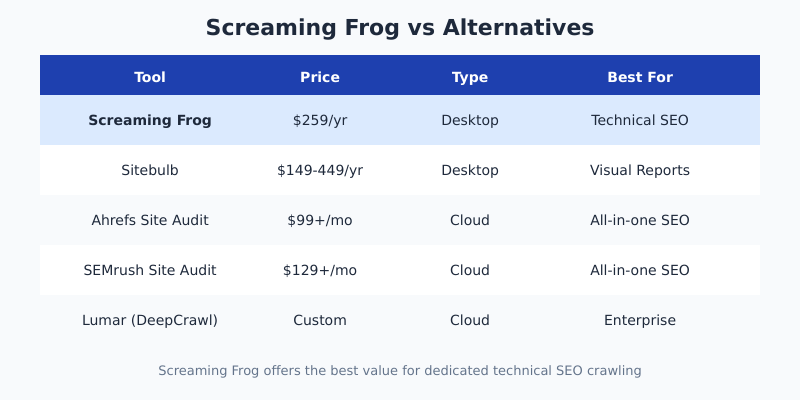
| Tool | Price | Type | Best For |
|---|---|---|---|
| Screaming Frog | $259/yr | Desktop | Technical SEO audits |
| Sitebulb | $149-449/yr | Desktop | Visual reports, hints |
| Ahrefs Site Audit | $99+/mo | Cloud | All-in-one SEO suite |
| SEMrush Site Audit | $129+/mo | Cloud | All-in-one SEO suite |
| Lumar (DeepCrawl) | Custom pricing | Cloud | Enterprise sites |
Screaming Frog offers the best value for dedicated technical SEO crawling. Sitebulb is a worthy alternative with better visualizations. Cloud tools like Ahrefs and SEMrush include crawling but cost significantly more and aren’t as deep for technical audits.
Tips to Get the Most Value from Your License
If you decide to buy, here’s how to maximize your ROI:
- Learn the integrations — Connect GA4 and GSC immediately. This alone transforms the tool’s usefulness.
- Master custom extraction — Spend time learning XPath. You’ll find uses you never imagined.
- Save crawl configurations — Create templates for different audit types. Saves hours over time.
- Use crawl comparison for migrations — This feature alone can justify the cost for agency work.
- Allocate enough RAM — In settings, increase memory allocation for faster, more complete crawls.
FAQ
Is Screaming Frog free?
Yes, there’s a free version that crawls up to 500 URLs with basic features. It’s fully functional for small sites but lacks advanced features like JavaScript rendering, API integrations, and the ability to save crawls.
How much does Screaming Frog cost per year?
The paid license costs £199 per year (approximately $259 USD). There’s no monthly option. Bulk discounts are available when purchasing 5 or more licenses, making it more affordable for agencies.
Can I use Screaming Frog on multiple computers?
Each license is valid for one machine. If you need to use Screaming Frog on multiple computers, you’ll need separate licenses. However, you can deactivate and reactivate on a different machine if needed.
What’s the best Screaming Frog alternative?
Sitebulb is the closest alternative for desktop crawling, offering better visualizations at similar pricing. For cloud-based crawling, Ahrefs and SEMrush include site audit tools but cost more and focus on broader SEO features.
Is Screaming Frog good for beginners?
Screaming Frog has a steep learning curve due to its technical nature and extensive features. Beginners can use the free version to learn, but expect to invest time in tutorials. Sitebulb offers a more beginner-friendly interface with guided hints.
Final Verdict
Screaming Frog SEO Spider remains one of the best investments in my SEO toolkit. At $259/year, it’s a fraction of what cloud-based SEO suites charge, and nothing else matches its depth for technical crawling.
If you’re doing SEO professionally — whether in-house, freelance, or agency — the paid version pays for itself quickly. The GA4/GSC integrations alone save hours of manual work. The JavaScript rendering is essential for modern web audits. And crawl comparison is indispensable for migrations.
Start with the free version to learn the interface. Once you hit that 500 URL limit on a real project, you’ll understand exactly why the upgrade is worth it.
I buy and test all tools myself. This review is based on 7+ years of professional use across hundreds of client sites.